
Don’t Let Cyber Threats Haunt Your Agency!

October is filled with plenty of scares, and not just at your door on Halloween night. Ghosts, monsters, and tricksters also lurk our screens, posing threats to individuals, businesses, and even public safety. From online scams to cyber threats targeting law enforcement and public safety agencies, cybercriminals use a variety of tricks that have real-world consequences. This month, we’re exposing tactics cybercriminals use, highlighting the warning signs, and sharing actionable steps to protect yourself, your organization, and your community.
October Is More Than Candy and Costumes
October isn't just a time for spooky decorations and sweet treats. October is also Cybersecurity Awareness Month, a reminder that protecting our digital lives is a shared responsibility.
Each year, the Cybersecurity and Infrastructure Security Agency (CISA) shares resources to help individuals, organizations, and communities protect themselves from online threats. This year's theme, “Securing the Next 250”, connects America's 250th anniversary with the goal of building a stronger, safer digital future.
Why Does Cybersecurity Awareness Get a Whole Month?
Think about how much of your agency's daily operations rely on digital tools. From accessing sensitive state databases and sharing incident reports, to dispatching units and coordinating emergency responses. With so much critical law enforcement activity happening behind a screen, cybersecurity matters more than ever.

In the United States, about 115 cyber attacks happen every hour, that's roughly 1 every 31 seconds. By the time you finish reading this post, about five cyber attacks will have happened. It’s a clear reminder of why staying alert online matters.
A cybersecurity attack is any attempt to gain unauthorized access to a network, computer, digital device, or to damage, disrupt or exploit an organization's digital information. These attacks don’t always look like a major company breach. They can start with a phishing email, a suspicious phone call, or a text message directing you to a fake login page.
For public safety agencies that rely on eAgent, including 911 communication centers, police departments, sheriff’s offices, and statewide law enforcement agencies, a cyberattack can put sensitive information at risk and disrupt operations. Compromised credentials or system security breaches directly threaten the vital data necessary for daily operational tasks.
That's why awareness matters. Recognizing suspicious activity, using strong passwords, and reporting potential threats can help agencies protect their employees, information, and the communities they serve.
AI Is Giving Digital Tricks A New Disguise
Artificial intelligence is changing how cyber attacks are carried out, making some scams faster, more automated, and harder to spot. Attackers can use AI to write clean, professional messages in seconds, making their requests look more convincing than ever.

They can gather details from social media and company websites, such as a job title, personal connections, or recent posts, to make messages feel familiar and trustworthy. The more realistic these messages appear, the easier it can be to mistake a scam for legitimate communication.
Hackers aren’t limited to email and messages either. AI can now clone a voice from just a short audio clip, in some cases only 3 to 30 seconds long, creating realistic fake voices. This means you could receive a phone call that sounds just like a coworker, supervisor, or someone you know.
These tactics are especially concerning for public safety agencies, where trusted communication and access to sensitive information are essential. Scammers could use cloned voices to impersonate law enforcement officers, agency leaders, or other personnel to gain access to confidential information or convince employees to act on fraudulent requests.
The FBI reported nearly 61,000 complaints involving law enforcement and government impersonation scams between January 2026 and July 2026. For 911 communication centers, and law enforcement agencies, this is a reminder to always verify unexpected requests through trusted channels before sharing sensitive information or taking action. Never rely on a familiar voice alone to confirm someone's identity.
This Is Where PAUSE Comes Into Play
When a message feels suspicious, take a moment and go through these five steps.
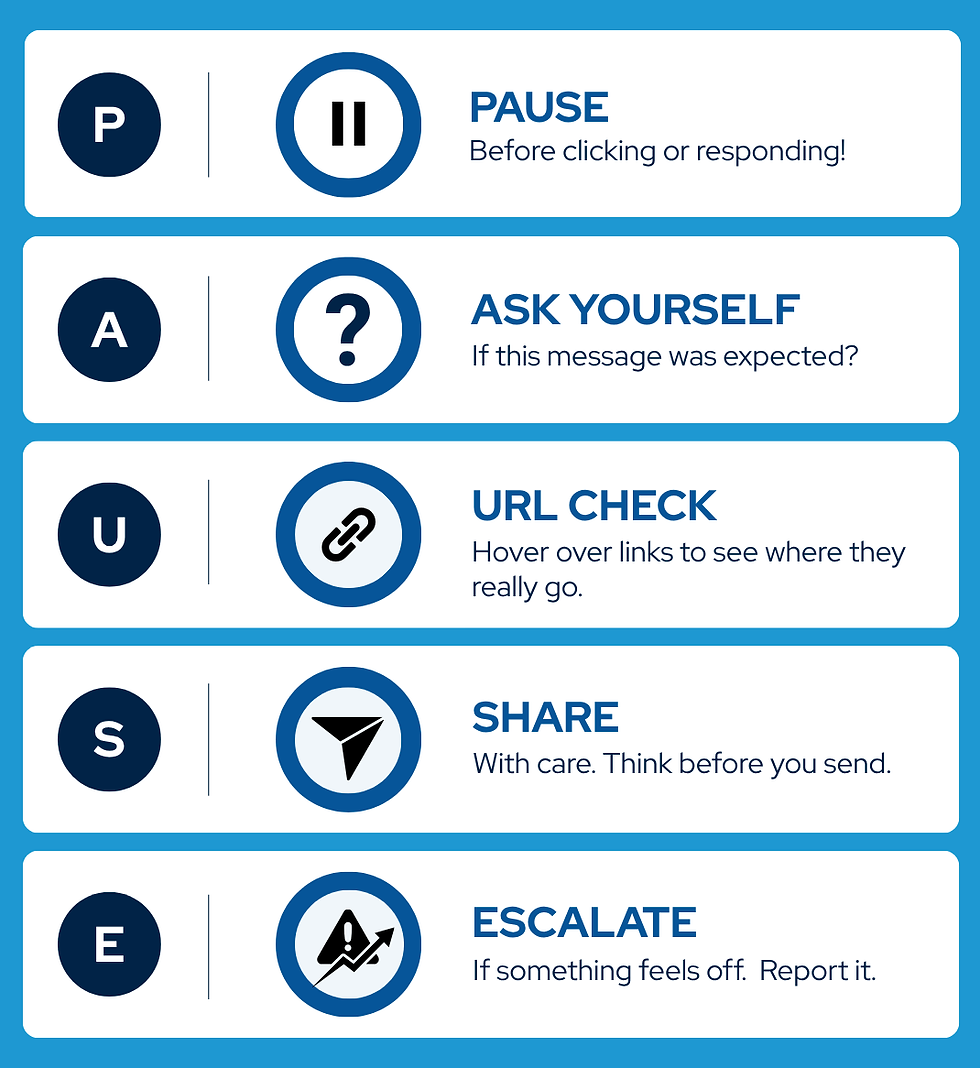
P - Pause before clicking/responding
A - Ask yourself if this was expected
U - URL check (hover over links to see where they really go)
S - Share with care
E - Escalate if something feels off
Scammers rely on speed and pressure, hoping you will act before you think. Taking a few moments to P.A.U.S.E. gives you the chance to spot the warning signs and stop a scam before it starts. When in doubt, don’t click, don't share, and report!
More Treats to Keep You Safe
Beyond recognizing scams, a few foundational security measures can significantly reduce your risk of being attacked. Awareness works best when paired with action, and putting these essential safeguards in place helps protect both your personal information and your agency.
Update your software. Updates patch security holes and protect against the latest threats. On many devices you can turn on automatic updates, so you never have to remember.

Use Multi-factor authentication (MFA). MFA adds a second step to logging in. After your password, your identity is confirmed with a code sent by email or text, or through an authenticator app. Even if someone does steal your password, MFA helps prevent unauthorized access. These authentication methods typically fall into one of the following categories:
Soft Tokens: These are digital authentication methods, such as codes generated by an authenticator app or delivered through an approved email or SMS, that help verify your identity when logging in.

Hard Tokens: These are physical devices, such as security keys or specialized authentication fobs, that generate a code or securely confirm your identity when logging in. Because they are separate from your computer or phone, they can provide an additional layer of protection against certain online threats and are the most secure form of MFA.
For public safety agencies, MFA is especially important when accessing CJI. The FBI’s CJIS Security Policy requires MFA to access CJI. Depending on the system and its security requirements, agencies may need to implement additional authentication measures to help protect sensitive information and prevent unauthorized access.
Use unique, strong passwords. Skip the short, simple passwords and instead use a mix of letters, numbers and symbols making things harder to guess. Try to use a different password for every platform, so one breach doesn't cause all the others to get hacked. If that sounds like too much to remember, a password manager keeps all passwords safe and easy to locate in one place. Password managers should always follow security standards for authentication, encryption, and access control to help protect passwords from unauthorized access.
Have an incident response plan ready. For organizations, this would be a formal plan outlining how you would detect, respond to, and recover from security breaches. Having it ready before an attack makes every security tool you use more effective!
The Bottom Line

You don't need to be a cybersecurity expert to stay safe online. Cybersecurity is a team effort, and every safe habit you build protects you and the people around you! This October, let's keep the tricks on our doorstep and the hackers off our devices.